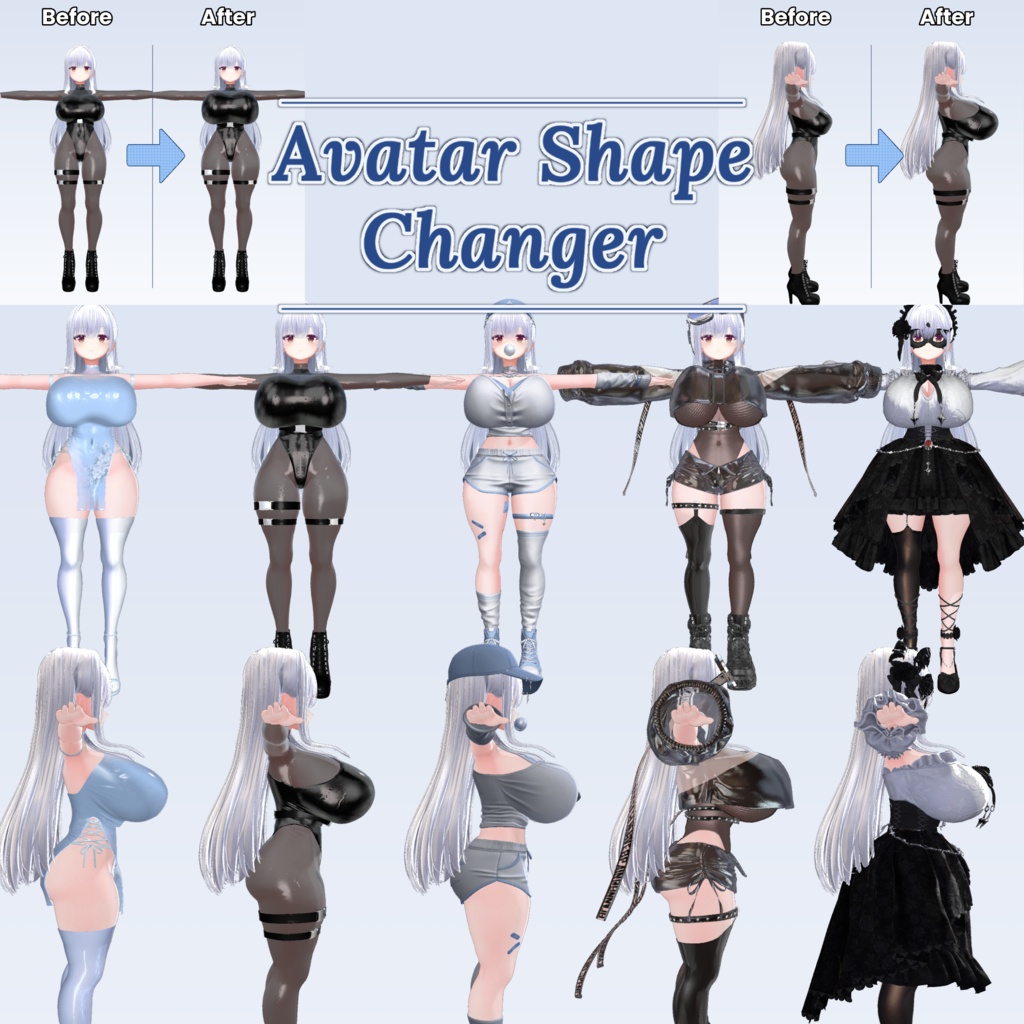
RA Avatar Shape Changer
- ダウンロード商品¥ 1,000
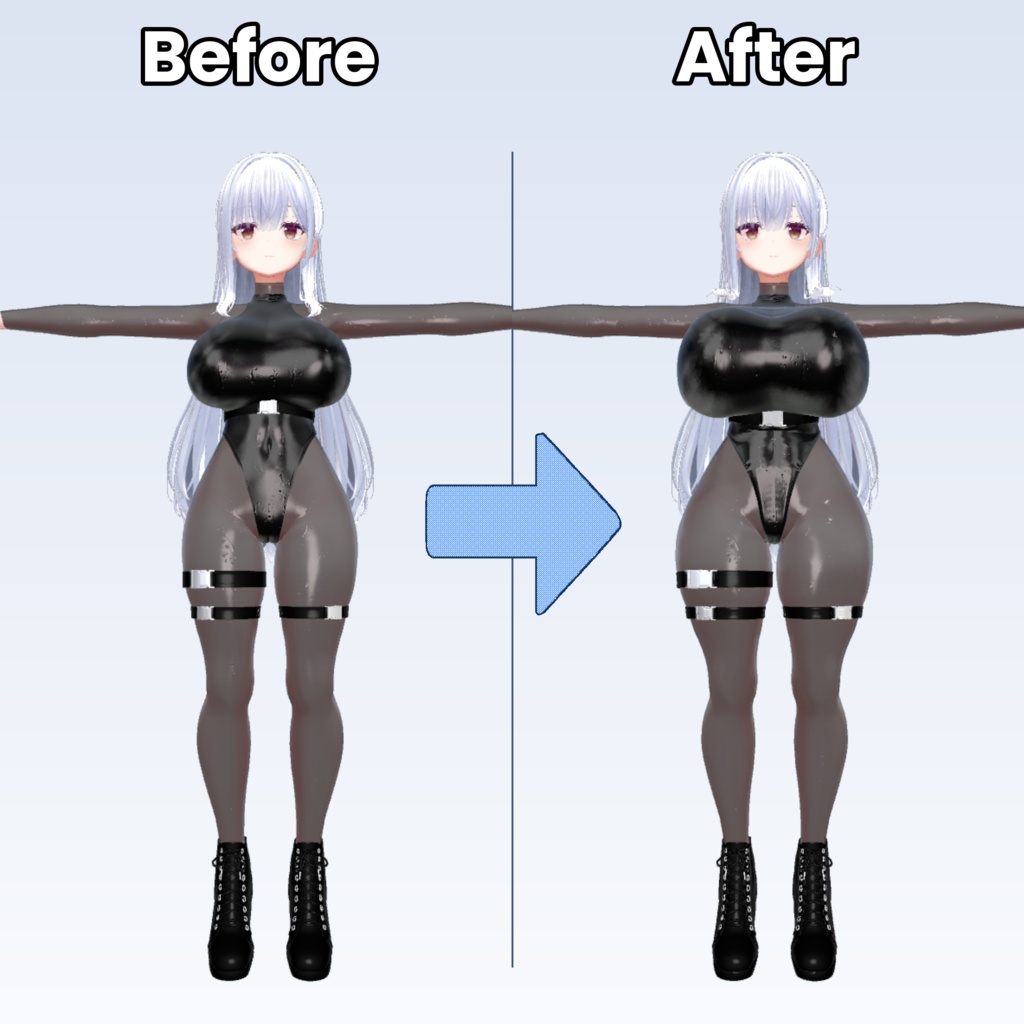
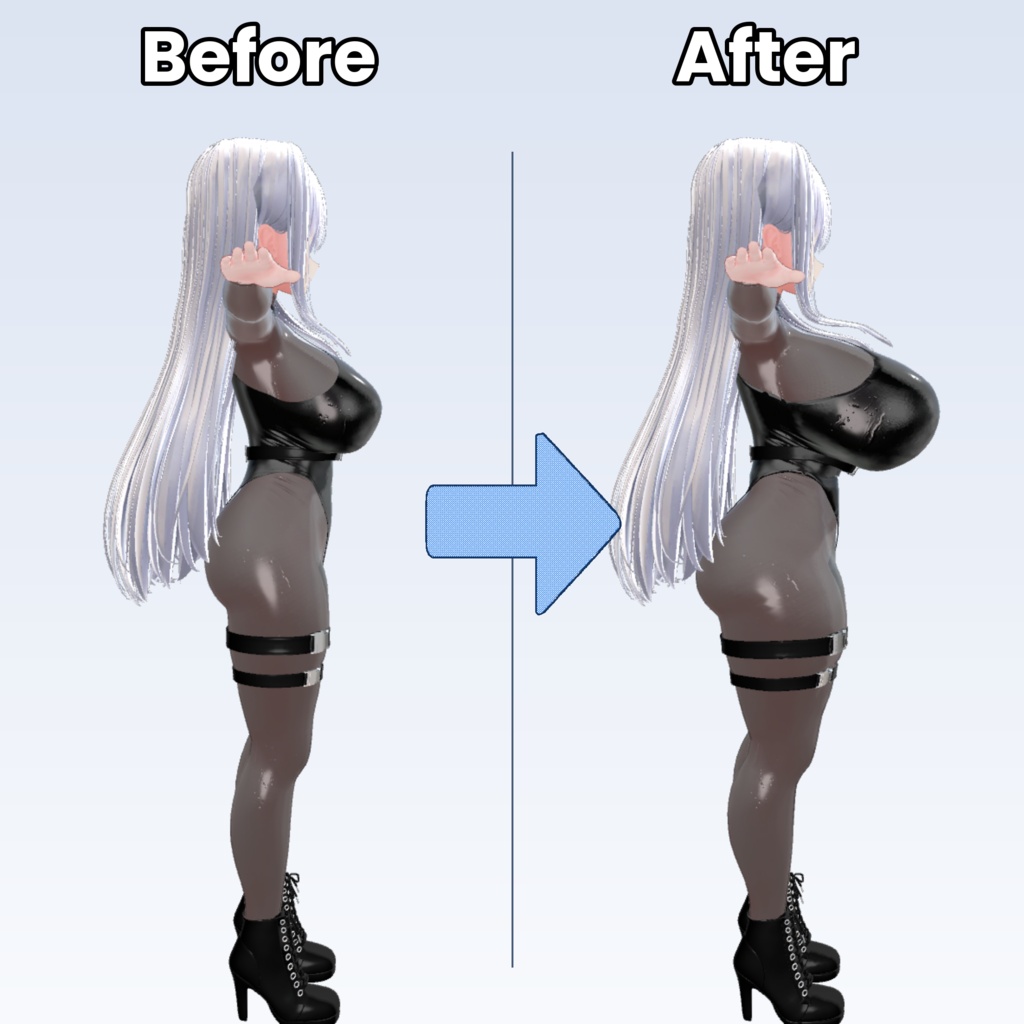
AvatarShapeChanger Unity 2019.4 or later Supports both Built-in and URP pipelines ツールの詳しい使用方法については、YouTubeの字幕自動翻訳機能をご利用ください。 툴의 자세한 사용 방법은 유투브 영상 + 자막을 이용해 주세요 For detailed instructions on how to use the tool, please use YouTube’s automatic subtitle translation feature. https://youtu.be/jxSUjxEXuQI https://youtu.be/zHOm40PoFt0 VRChat で使用可能 非破壊ブレンドシェイプ生成ツール アバターの体型調整後、変形情報を保存できるため、他の衣装にも同じ変形を適用可能 ウェイト崩れの問題なく使用可能 後から追加した新しい衣装にも同じ変形を再適用可能 VRC사용가능 비파괴적인 블랜드쉐이프 생성툴 아바타의 체형 조절 후 변형을 기억해두기 때문에 의상들에 똑같이 적용가능하며 웨이트도 문제 없음 작업 이후 새로 입는 의상에도 똑같은 변형을 적용가능 Compatible with VRChat Non-destructive blendshape generation tool Stores avatar body deformation data, allowing the same adjustments to be applied to other outfits Designed to avoid weight painting issues The same deformation can also be applied to newly added outfits later on
日本語
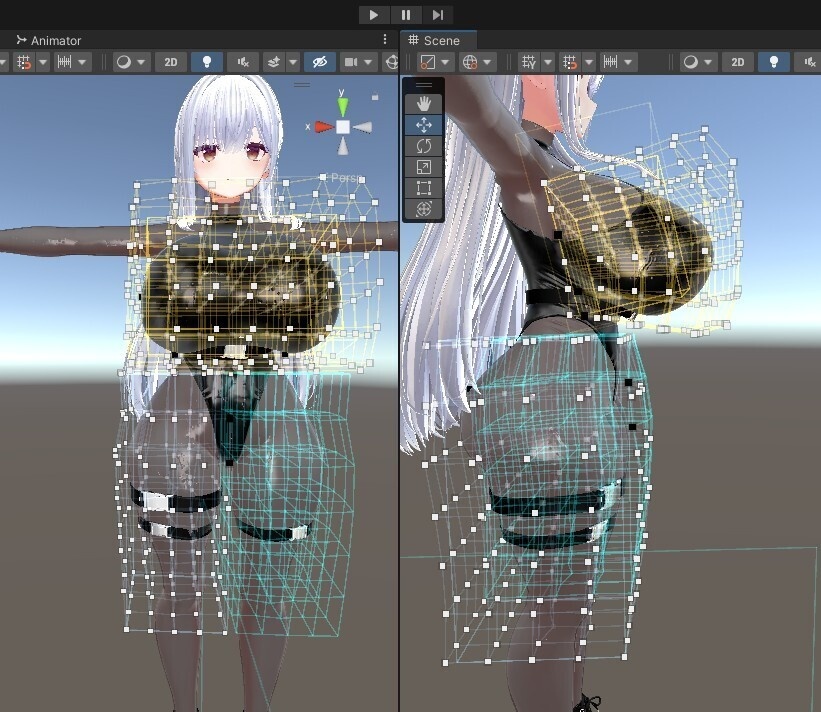
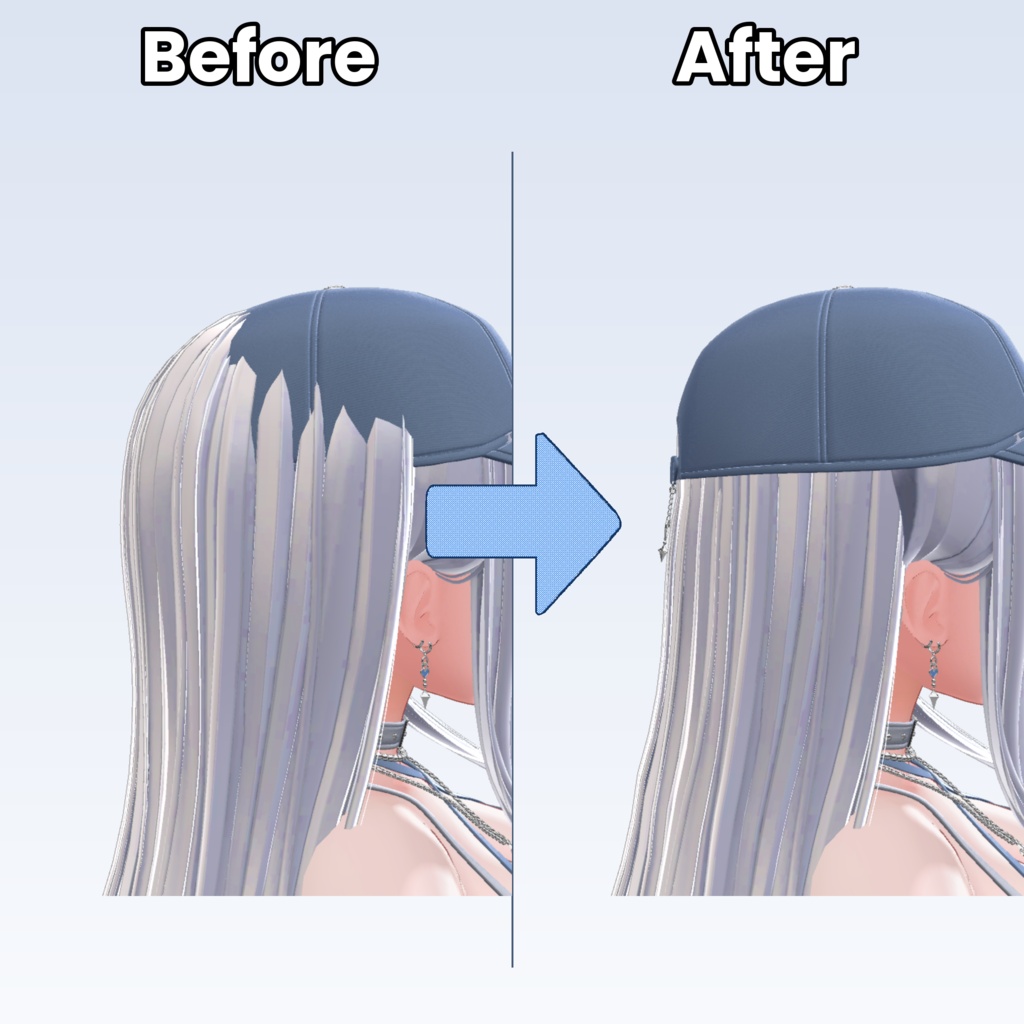
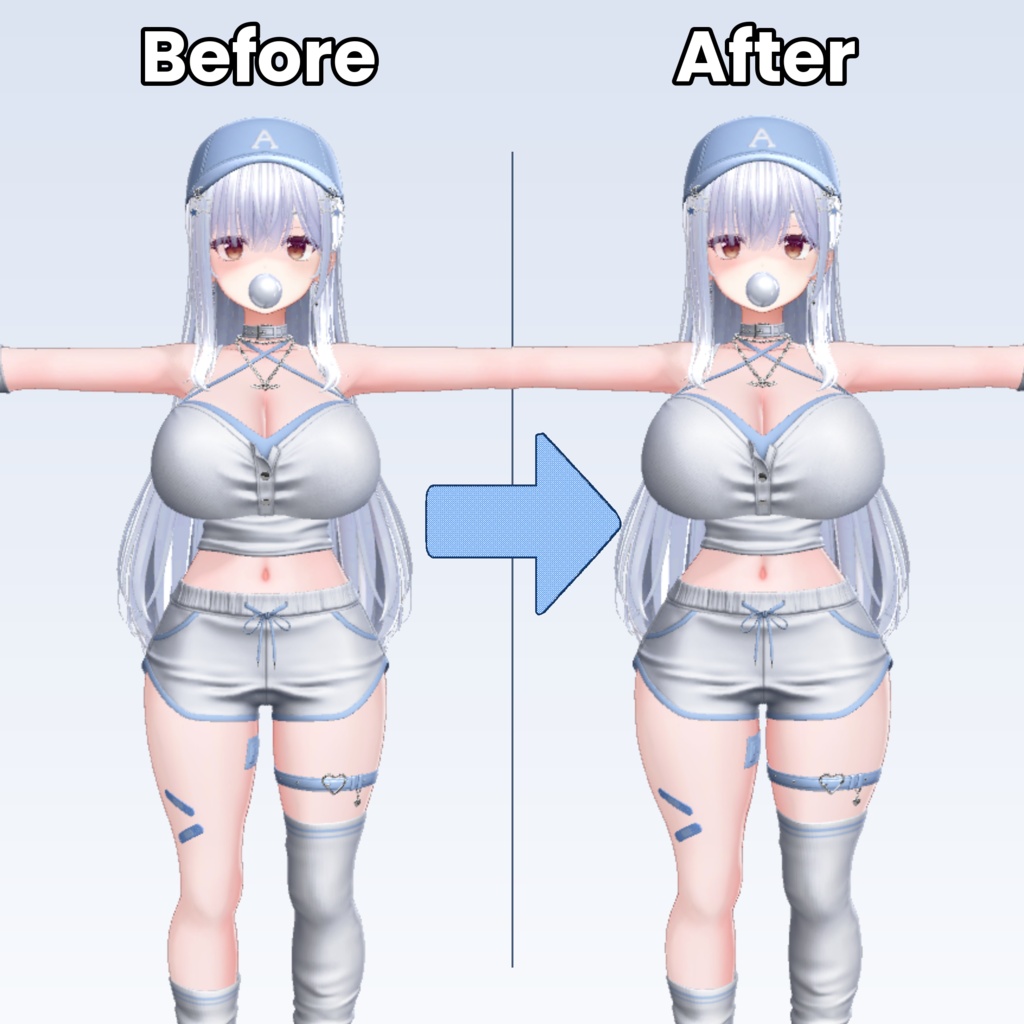
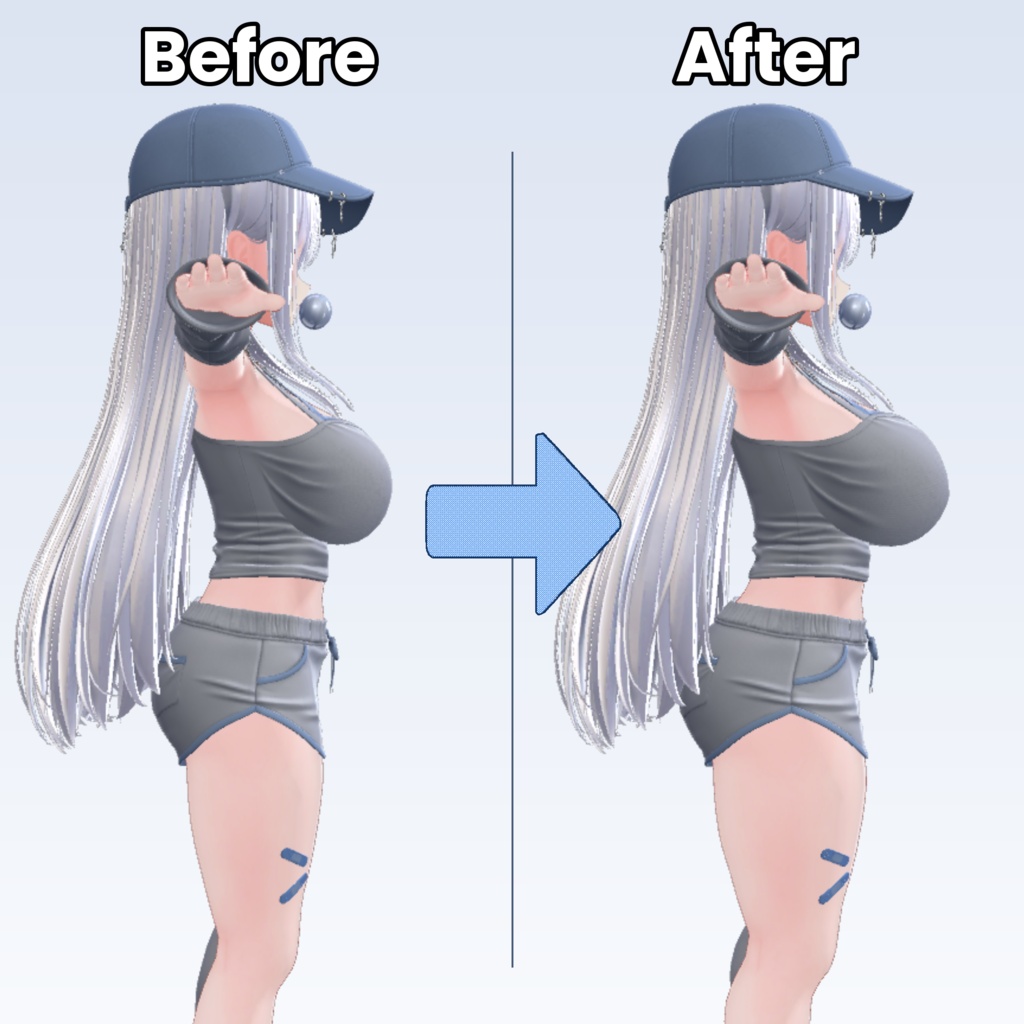
日本語 AvatarShapeChanger 体型調整・衣装補正・ヘアの押し込み作業を、 非破壊なブレンドシェイプベースのワークフローで行える Unity エディタツールです。 アバターの体型を変更した後、 新しい衣装やヘアを追加するたびに再調整が必要になることがあります。 AvatarShapeChanger は変形情報を保存し、 別メッシュにも同じ変形を再適用できるように設計されています。 ラティス変形から頂点編集、 帽子装着時のヘア押し込み処理まで、1つのツールで対応できます。 主な機能 🔷 Lattice ShapeKey Tool ラティス(格子)ケージを使用してメッシュを滑らかに変形します。 ラティス解像度(X/Y/Z)変更可能 シーンビュー上でコントロールポイントを直接編集 体型変更作業向け プレビュー強度スライダー対応 ブレンドシェイプへベイク可能 プリセット保存 / 読み込み対応 ◆ VertexDeform 頂点を直接選択して移動 / 回転 / スケール変形できます。 Single / Multi 選択モード ブラシ範囲選択対応 Falloff による自然な周辺変形 Unity 標準 W / E / R ツール使用可能 X ミラー対称編集対応 ラティスより細かな補正向け ✂ CinchHair 帽子装着時に髪が飛び出す問題を素早く補正するための機能です。 ヘア球体 / 帽子球体 / ディスクガイドベース編集 8方向非対称圧縮対応 ステップ別編集ハンドル 髪の内部貫通防止機能 必要に応じて頂点単位の追加補正可能 こんな用途におすすめ アバター体型変更 特定体型向け衣装補正 帽子用ヘア ShapeKey 作成 複数衣装への同一体型変形再利用 ブレンドシェイプベースの非破壊ワークフロー構築 対応環境 Unity 2019 以降 Built-in / URP 対応 外部依存なし HDRP 未検証 インストール方法 zip を解凍後、 RyoungA Tools フォルダを Unity プロジェクトの Assets 配下へコピーしてください。 例: Assets/RyoungA Tools/AvatarShapeChanger/Editor/... メニュー位置: Unity 上部メニュー → RyoungA > AvatarShapeChanger 対応言語 한국어 日本語 English ツール右上の KO / JP / EN ボタンから切り替え可能です。 注意事項 ベイク結果は新しい .asset メッシュとして保存されます。 元メッシュは保持されます。 過度な変形はメッシュ問題を引き起こす可能性があります。 ヘア物理ボーン構造によっては追加調整が必要になる場合があります。 HDRP 環境は未検証です。 商用利用 本ツールで生成・変形した成果物は、 商用・非商用問わず自由に使用可能です。 禁止事項 ツール本体の再配布 / 再販売 改変版の無断共有 制作者を偽る行為 コードおよびデータを AI / 機械学習用データとして使用する行為 更新履歴 26/05/29 BoneStretch タブ追加 — ボーン位置・回転・スケールの直接編集、左右対称ミラー編集、複数衣装ライブ同期 26/05/26 元のラティスの外側にメッシュが拡張されていた場合、Undo・境界パディング・他のラティスのトグル操作を行うと、ラティス外のメッシュがプレビューで潰れる現象を修正 Lattice / VertexDeform の各項目ごとにウェイト機能を追加 26/05/25 一部のボタンに理解を助けるアイコンを追加 プレビュー値がベイクに反映されない問題を修正 VertexDeform タブの項目が Unity 再起動時に初期化される問題を修正 VertexDeform タブでベイク後にプレビューが解除されない問題を修正 VertexDeform でベイク時、まれにメッシュのシェイプキーが 0 に設定される問題を修正 Lattice と VertexDeform タブで同時にプレビューを使用する場合、作業用メッシュを共有してベイクにエラーが発生する問題を修正 2026/05/24 初版公開
한국어 설명
AvatarShapeChanger 체형 수정, 의상 보정, 헤어 눌림 작업을 비파괴적인 블렌드쉐이프 기반 워크플로우로 처리할 수 있는 Unity 에디터 툴입니다. 아바타의 몸을 변형한 뒤에도 새 의상이나 헤어를 추가했을 때 기존 체형에 다시 맞추는 작업이 반복되는 경우가 많습니다. AvatarShapeChanger는 변형 정보를 저장해두고 다른 메쉬에도 동일한 변형을 재적용할 수 있도록 제작되었습니다. 라티스 기반 변형부터 정점 직접 편집, 모자 착용 시 헤어 눌림 처리까지 하나의 툴 안에서 작업할 수 있습니다. 주요 특징 🔷 Lattice ShapeKey Tool 격자(Lattice) 케이지를 이용해 메쉬를 부드럽게 변형합니다. 격자 해상도(X/Y/Z) 조절 가능 씬뷰에서 직접 컨트롤 포인트 편집 체형 변경용 작업에 적합 미리보기 강도 슬라이더 지원 블렌드쉐이프로 베이크 가능 프리셋 저장 / 불러오기 지원 ◆ VertexDeform 정점을 직접 선택하여 이동 / 회전 / 스케일 변형을 할 수 있습니다. Single / Multi 선택 모드 브러시 영역 선택 지원 Falloff 기반 자연스러운 주변 변형 Unity 기본 W / E / R 툴 사용 가능 X 미러 대칭 편집 지원 라티스보다 세부 보정에 적합 ✂ CinchHair 모자 착용 시 헤어가 튀어나오는 문제를 빠르게 보정하기 위한 기능입니다. 헤어 구체 / 모자 구체 / 디스크 가이드 기반 작업 8방향 비대칭 압축 지원 단계별 편집 핸들 제공 헤어 내부 관통 방지 기능 포함 필요 시 정점 단위 추가 보정 가능 이런 작업에 추천합니다 아바타 체형 변경 의상을 특정 체형에 맞게 보정 모자 착용용 헤어 ShapeKey 제작 여러 의상에 동일한 체형 변형 재사용 블렌드쉐이프 기반 비파괴 워크플로우 구축 지원 환경 Unity 2019 이상 Built-in / URP 지원 외부 의존성 없음 HDRP 미검증 설치 방법 zip 압축 해제 후 유니티패키지를 프로젝트로 드래그 드랍해주세요. 예시: Assets/RyoungA Tools/AvatarShapeChanger/Editor/... 메뉴 위치: Unity 상단 메뉴 → RyoungA > AvatarShapeChanger 지원 언어 한국어 日本語 English 툴 우상단의 KO / JP / EN 버튼으로 전환 가능합니다. 주의사항 베이크 결과는 새로운 .asset 메쉬로 저장됩니다. 원본 메쉬는 유지됩니다. 과도한 변형은 메쉬 문제를 일으킬 수 있습니다. 헤어 물리 본 구조에 따라 추가 조정이 필요할 수 있습니다. HDRP 환경은 검증되지 않았습니다. 상업 이용 본 툴로 생성 및 변형한 결과물은 상업 / 비상업 용도 모두 자유롭게 사용 가능합니다. 금지 사항 툴 자체의 재배포 / 재판매 수정본 무단 공유 제작자 사칭 코드 및 데이터의 AI 학습 데이터 사용 업데이트 내역 26/05/29 BoneStretch 탭 추가 — 본 위치·회전·스케일 직접 편집, 좌우 대칭 미러 편집, 다중 의상 라이브 동기화 26/05/26 원본 라티스의 밖으로 메쉬가 확장되었을 때, Undo, 경계패딩, 다른 라티스의 토글을 하면 경우 원본 라티스 밖에 있던 메쉬가 프리뷰에서 찌끄러지는 현상 수정 각 라티스/버텍스 항목마다 웨이트 기능 추가 라티스와 버텍스 순서 변경 가능 26/05/25 일부 버튼에 이해를 돕기 위한 아이콘 추가 미리보기 값이 베이크에 반영되지 않는 문제 수정 VertexDeform탭의 항목이 유니티를 재부팅 할경우 초기화 되는 문제 수정 VertexDeform탭이 베이크 후 미리보기가 해제 되지 않았던 것을 수정 VertexDeform에서 베이크를 할 경우 간혹 메쉬의 쉐이프키들이 0으로 설정되는 오류 수정 Lattice와 Vertex탭이 같이 미리보기를 사용할경우 작업용 메쉬를 공유를 해서 베이크에 오류가 나는 오류 수정 2026/05/24 출시 버전 공개
English
English AvatarShapeChanger A Unity editor tool for body shaping, outfit fitting, and hair compression workflows using a non-destructive blendshape-based workflow. After modifying an avatar’s body shape, new outfits or hairstyles often require repeated manual adjustments. AvatarShapeChanger stores deformation data so the same body adjustments can be reapplied to other meshes later. From lattice-based deformation to direct vertex editing and hair compression for hats, everything can be handled inside a single tool. Main Features 🔷 Lattice ShapeKey Tool Smoothly deform meshes using a lattice cage system. Adjustable lattice resolution (X / Y / Z) Direct control point editing in Scene View Ideal for body shape adjustments Preview intensity slider Bake results into blendshapes Preset save / load support ◆ VertexDeform Directly select and transform vertices with move / rotate / scale operations. Single / Multi selection modes Brush area selection support Natural falloff-based deformation Uses Unity’s standard W / E / R tools X-axis mirror editing support Better suited for detailed adjustments than lattice editing ✂ CinchHair Designed for quickly fixing hair clipping issues when wearing hats. Hair sphere / hat sphere / disk guide workflow 8-direction asymmetric compression support Step-based editing handles Prevents hair from collapsing into the head Optional per-vertex fine adjustments Recommended Uses Avatar body reshaping Outfit fitting for custom body shapes Creating hat-compatible hair shapekeys Reusing the same body deformation across multiple outfits Building a non-destructive blendshape workflow Compatibility Unity 2019 or newer Built-in / URP supported No external dependencies HDRP untested Installation After extracting the zip file, copy the RyoungA Tools folder into your Unity project's Assets directory. Example: Assets/RyoungA Tools/AvatarShapeChanger/Editor/... Menu location: Unity Top Menu → RyoungA > AvatarShapeChanger Supported Languages 한국어 日本語 English You can switch languages using the KO / JP / EN buttons at the top-right corner of the tool window. Notes Baked results are saved as new .asset mesh files. Original meshes are preserved. Excessive deformation may cause mesh issues. Additional adjustment may be required depending on hair physics bone setup. HDRP compatibility has not been verified. Commercial Use Meshes and assets created or modified using this tool may be used freely for both commercial and non-commercial purposes. Prohibited Redistribution or resale of the tool itself Unauthorized sharing of modified versions Claiming the tool as your own work Using the tool’s code or data for AI / machine learning training Update History 26/05/29 Added BoneStretch tab — direct bone position / rotation / scale editing, symmetric mirror editing, live sync with multiple costumes 26/05/26 Fix: when the mesh extends beyond the original lattice, performing Undo / boundary padding / toggling another lattice caused the outside-of-lattice portion to collapse in the preview Added per-item weight for each Lattice / VertexDeform item 26/05/25 Added icons to some buttons to aid understanding Fix: preview value not reflected in the bake Fix: items in the VertexDeform tab reset when Unity is restarted Fix: preview not cleared after baking in the VertexDeform tab Fix: occasionally, shape keys on the mesh were set to 0 when baking in VertexDeform Fix: bake error when Lattice and VertexDeform tabs both use preview, due to shared working mesh 2026/05/24 Initial release